Shadow Desk : Operation Night Market
A downloadable game for Windows
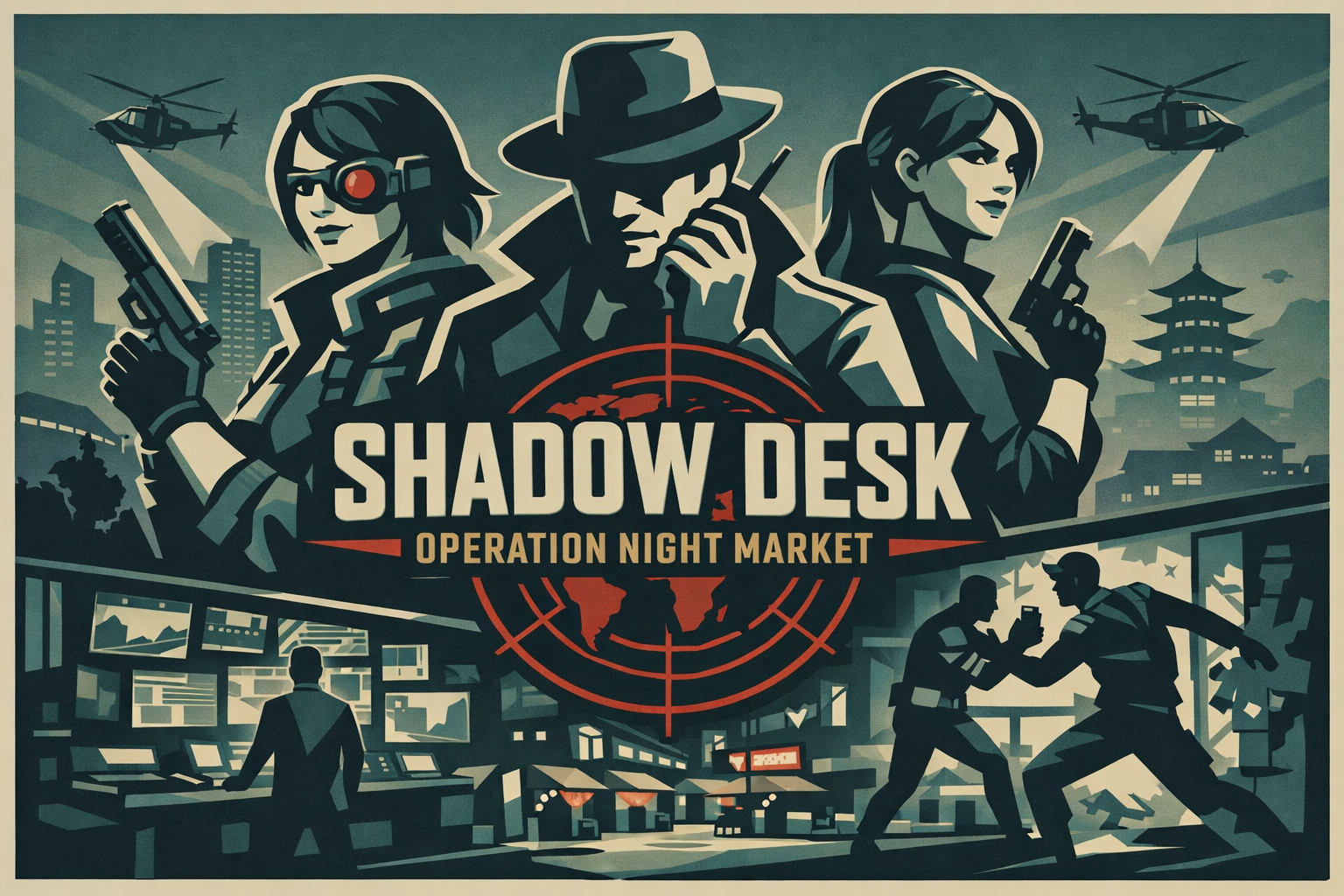
Shadow Desk puts you behind the glass of a covert agency where every decision leaves a trail. Recruit agents, run surveillance, pull off risky operations, buy black-market tech, manage safehouses, and keep your team alive through 200 days of escalating pressure. Every mission can earn money, intel, and reputation, but heat is always rising. Push too hard and your agency burns. Play too cautious and payroll drains you dry. Build the perfect spy network, survive the consequences, and see how much money you can bank before Operation Night Market goes dark.
How To Play Shadow Desk
You are the director of a covert spy agency. Your job is to survive 200 days, make as much money as possible, and keep Heat from reaching 100%.
Your Main Goal
Send agents on missions to earn money, intel, and reputation. Use those rewards to recruit more agents, buy gear, upgrade the agency, and stay ahead of daily payroll costs.
If Heat reaches 100%, the agency is exposed and the run is lost.
The Main Screen
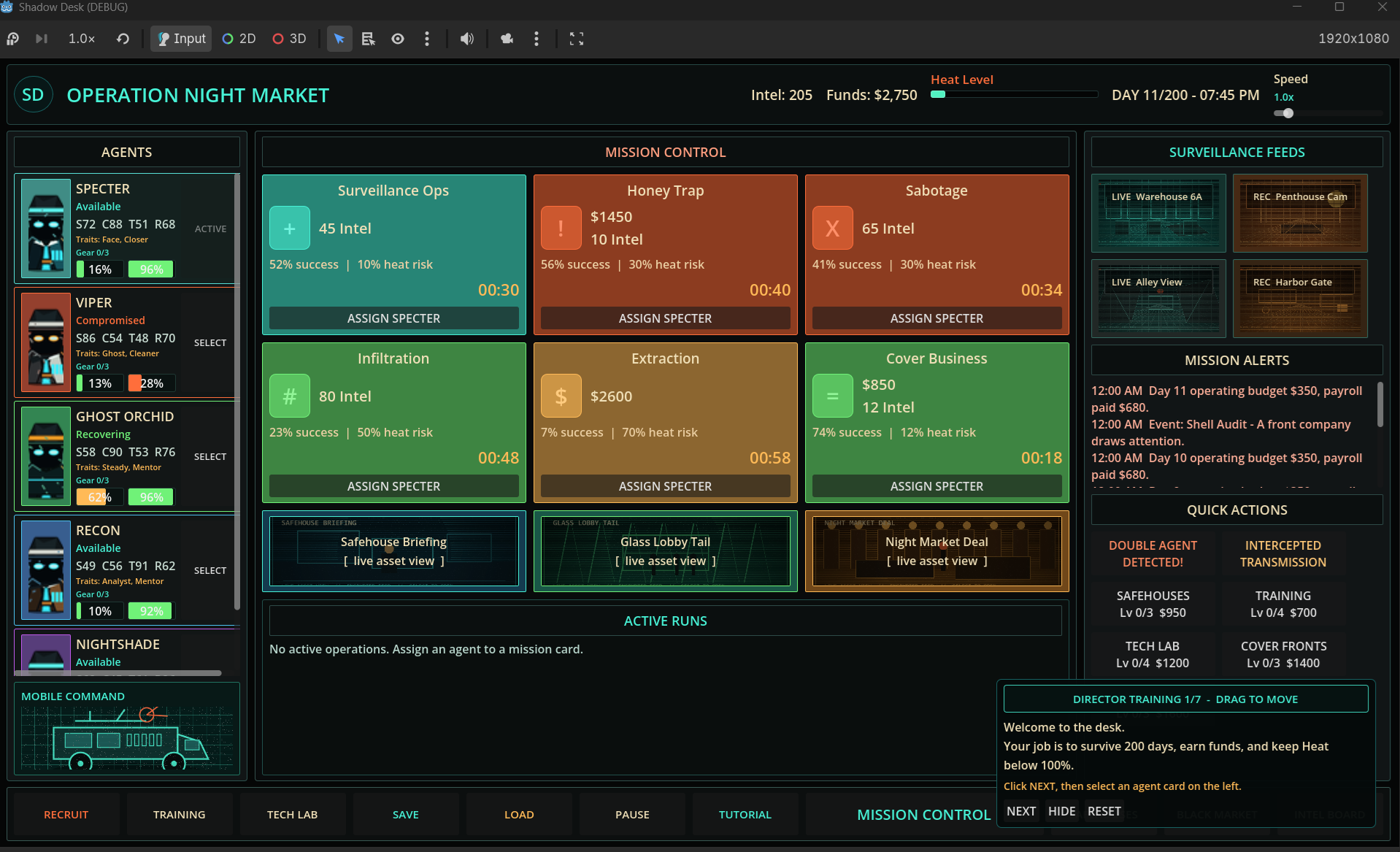
On the left are your Agents. Each agent has stats, traits, gear slots, cover, and stress.
In the center is Mission Control. This is where you assign agents to missions.
On the right are Surveillance Feeds, Mission Alerts, and Quick Actions.
At the bottom are navigation buttons for recruitment, training, tech lab, saving, loading, pausing, and agency upgrades.
Agent Stats
Each agent has four main stats:
- S: Stealth
- C: Charm
- T: Tech
- R: Resolve
Different missions favor different stats. A good agent for one mission may be weak on another.
Agents also have two important bars:
- Stress: High stress is bad. Stressed agents perform worse and may need recovery.
- Cover: Low cover is bad. If cover drops too far, an agent can become compromised.
Assigning Agents
Click an agent, then click a mission card to assign them.
You can also drag an agent card onto a mission.
Some missions can take multiple agents. Adding more agents speeds the mission up. Two agents means roughly twice as fast, three agents means even faster.
If an agent is already assigned, their name appears on the mission card or active run. Click their name to remove them from that mission.
Mission Cards
Each mission shows:
- Reward or intel cost
- Success chance
- Heat risk
- Mission duration
- Assigned agents
Higher success chance is safer. Higher heat risk is dangerous.
Missions continue after completion while agents remain assigned, so a mission can become a repeating income source. Remove agents if you want to stop that loop.
Heat
Heat is the agency’s exposure level.
Heat rises when missions go badly, events trigger, or risky operations draw attention. If Heat reaches 100%, you lose.
You can reduce Heat through the Intel Board and certain upgrades. Keep some intel available for emergencies.
Money And Payroll
You start with limited funds. Every day, your agency pays payroll for active staff.
Early on, do not recruit too fast. More agents mean more capability, but also higher daily costs.
Try to get at least one reliable money-making mission running before expanding.
Recruitment
Click Recruit to open the recruitment panel.
You will see three possible new agents from a larger pool. You can recruit up to 18 agents total.
Look for agents whose stats and traits fill gaps in your current team. A cheap, useful specialist can be better than an expensive generalist early on.
Training
Training improves agents over time, but it costs money.
Use training when you have spare funds or when an agent is close to becoming reliable on important missions.
Tech Lab
The Tech Lab lets you buy gear for agents.
Gear can improve stats, increase mission success, reduce heat risk, or help agents survive bad outcomes.
Each agent has limited gear slots. If an agent is underperforming, gear may be cheaper than hiring someone new.
Safehouses
Safehouses help agents recover stress and rebuild cover.
Use them when an agent’s stress is high or cover is getting low. Compromised agents can recover through safehouse support.
Quick Actions
The buttons on the right give fast access to agency-wide actions and upgrades.
Some reduce heat. Some improve training, safehouses, tech, cover fronts, or black-market options.
Hover over buttons for tooltips explaining what each one does.
Events
Events happen during the run and create pressure, opportunities, or problems.
Some events may damage cover, raise heat, cost money, create choices, or affect agents. Watch the Mission Alerts log so you know what just happened.
Difficulty Tips
For your first run:
- Start on Standard or easier.
- Do not recruit too many agents immediately.
- Keep at least one money mission running.
- Watch payroll.
- Avoid stacking too many high-heat missions early.
- Use safehouses before agents become compromised.
- Spend intel to reduce heat before it gets desperate.
- Buy upgrades once your income is stable.
Winning
If you survive to Day 200, the operation ends and your score is recorded.
Your high score is based on how much money you gained, so survival matters, but profit is the real bragging right.
The best directors balance greed and caution: earn fast, stay quiet, and never let the heat hit the ceiling.
Download
Click download now to get access to the following files:
Leave a comment
Log in with itch.io to leave a comment.